














The Home Ribbon in Excel 2007
The Home Ribbon, the very first of the standard ribbons, consist mainly of functions that are available to you when you select Format or Edit in the Menu bar.
Here is a detailed coverage of the ribbon:

It is used primarily for formating cells similar to the functions you find when you click on Menu -> Format, Menu -> edit in the previous version or when you click on the right mouse button within the worksheet, in Excel 2007 and previous version of Excel. See below for get a better picture of how the Home Ribbon is organised:
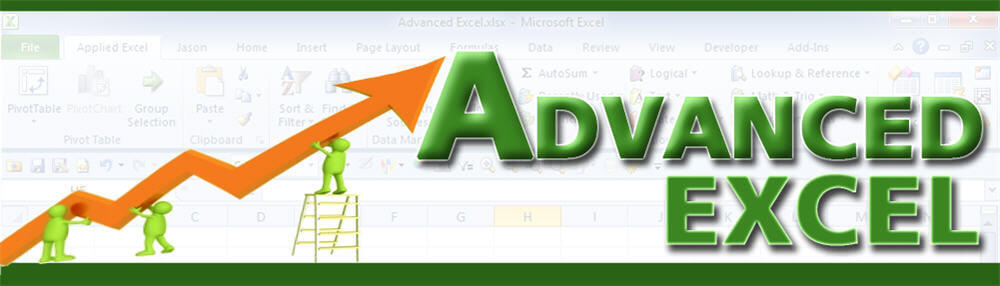
Copy and pasting cells
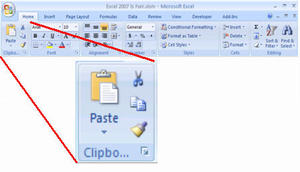
Font formating
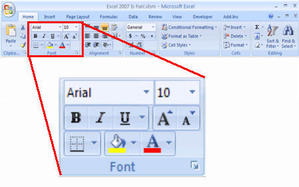
Text alignment
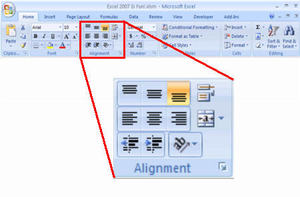
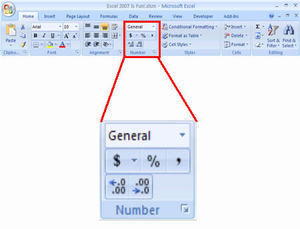
Number formating
Styles
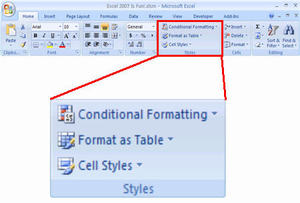
The style group contains 3 elements which are usually neglected by the average users.
Conditional formating – to automatically format the cell(s) to a different color when certain conditions are met.
Format Table – to format the data in your worksheet into a table
Style – to capture and store cell format settings so that it could be re-used by other cells or ranges. This function is similar to MS Word style formating (e.g. HEADING 1, normal, etc).
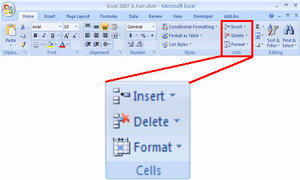
Insert/Delete/Format Cells/Columns
And finally
Editing
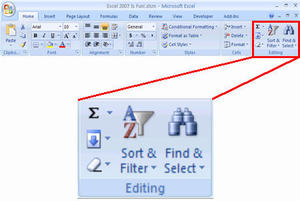
Summation button to generate a simple sum, average, count, max or min formula.
Activate the fill series function.
Clear the cell contents
Sort and filter the list
Find, select, goto and goto special functions
Lesson 01: Why learn Excel 2007?Lesson 02: A new look for Excel 2007 and access the “file menu”Lesson 03: No more toolbar in Excel 2007Lesson 04: What are on the Ribbons in Excel 2007Lesson 05: 7 Standard Ribbons in Excel 2007
New! Comments
Have your say about what you just read! Leave me a comment in the box below.
Share this page:
Enjoy this page? Please pay it forward. Here’s how…
Would you prefer to share this page with others by linking to it?
- Click on the HTML link code below.
- Copy and paste it, adding a note of your own, into your blog, a Web page, forums, a blog comment, your Facebook account, or anywhere that someone would find this page valuable.
<a href=”http://www.advanced-excel.com/”>Advanced Excel – From a Business Perspective</a><a href=”http://www.advanced-excel.com/”>Advanced Excel – From a Business Perspective</a>

Excel Courses for Business Professionals
Copyright © advanced-excel.com 2007 – 2019. All Rights Reserved. Privacy Policy
Microsoft® and Microsoft Excel® are registered trademarks of Microsoft Corporation.
advanced-excel.com is in no way associated with Microsoft
