














Convert text dates from SAP into excel dates
SAP is commonly known as an enterprise resource planning (ERP) for the management of supply chain, customer relationship, product life cycle and supplier relationship. A lot of business data are usually captured into the system. You can generate many reports that will help you understand your business and make better quality decisions. Getting a good understanding of the business to facilitate decision making usually require analysing the data in multiple perspective.
Users, sometimes, do not know exactly what they are really looking for until they have a first view on the data. While SAP is capable of generating these reports, it is relatively expensive compared to doing it in Excel and long wait to develop the reports make it infeasible to these users, who need the data to make time sensitive decisions. As such, users usually resort to download the raw data from SAP and analyse these data using Excel.
Importing data from SAP is usually quite straight forward. For some of my customers, it is a simple click of the button and the data are imported into an excel worksheet. For some, they have to run pre-defined query through Microsoft® Access and export the data into an excel worksheet. Whichever method they used, they are likely to face the problem of having to work manually with the dates. These dates are usually formatted as text and are not good for analysis using Excel. With the proper skills and knowledge about excel, they have to resort to manually convert these dates, eyeballing the dates and re-type them into Excel, edit and enter the cells one record by one records, so that they could be used for analysis using Excel Pivot Table ® or the SUBTOTAL function. But unknown to these users, you do not have to take hours or days to manually convert those text dates into Excel readable dates. All it takes are some formula and you can have them converted into proper dates in seconds. To find out how, sign up for this seven weeks course (one email per week) on the different methods of conversion. The answers to the challenges are provided in the following week. At the end of the course, you will not only learn the dates functions to do the job, you will also find out how to do effectively convert any form of dates in less than 5 seconds. If you are keen to learn the tricks, take up the 7 weeks SAP challenge to find out how!
[thrive_lead_lock id=’2901′]Hidden Content[/thrive_lead_lock]
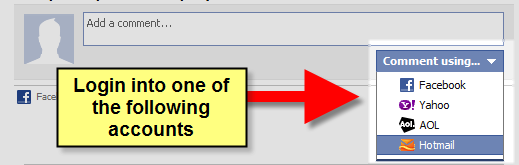
New! Comments
Have your say about what you just read! Leave me a comment in the box below.
Share this page:
Enjoy this page? Please pay it forward. Here’s how…
Would you prefer to share this page with others by linking to it?
- Click on the HTML link code below.
- Copy and paste it, adding a note of your own, into your blog, a Web page, forums, a blog comment, your Facebook account, or anywhere that someone would find this page valuable.
<a href=”http://www.advanced-excel.com/”>Advanced Excel – From a Business Perspective</a><a href=”http://www.advanced-excel.com/”>Advanced Excel – From a Business Perspective</a>

Excel Courses for Business Professionals
Copyright © advanced-excel.com 2007 – 2019. All Rights Reserved. Privacy Policy
Microsoft® and Microsoft Excel® are registered trademarks of Microsoft Corporation.
advanced-excel.com is in no way associated with Microsoft
