














EXCEL SECRETS EXPOSED!
How Productive Are You With Excel?
Do you work with Excel in Power or in Pain?

From Jason Khoo
Dear Friend,
As part of a vicious cycle, you have to get started on a task to get some Excel data organised for reporting. By the time you finish, you know it’s going to take weeks again, and the process will ever be so gruelling�
JUST STOP FOR SECOND; HAVE YOU EVER THOUGHT OF THESE QUESTIONS?
“Does a smarter, faster way of organising my data in Excel exist?””Can the process between my start and finish lines be made less painful?””Can the time spent between my start and end points can ever be significantly shortened?””Am I using Excel in the most optimal way?”
In case you get me all wrong, what I am about to tell you is NOT a Basic, an Intermediate, or Advance Excel course which the market has in abundance. It’s NOT about teaching you what functions are available in Excel and explaining what each function does.
THIS COURSE I AM TELLING YOU NOW IS – UNIQUE, UNCONVENTIONAL, ONE-OF-ITS-KIND.
It’s specially designed to equip you with the skills to perform smartly in various data sorting and organising scenarios, to help you unleash the hidden power of Excel in a few steps that I believe 90% or even more Excel users are ignorant of.
It’s about realising how loads of data that are consuming you hours, weeks or even months to sort out for reporting can be done in seconds and minutes!
It’s about discovering special, untrodden routes of getting to the finishing line in each of your tasks in a significantly much faster and easier way, and often with a lot better results (more accurate reporting).
IT’S ABOUT HOW PRODUCTIVE YOU CAN GET WITH EXCEL; HOW FAST YOU CAN GET YOUR REPORT WITH EXCEL!
Yes, we are talking about speedier and easier data organisation and analysis, and more accurate reporting, which all relate to optimising of resources, significant time-savings, and business decisions and bottom-line in any organisation!
Typical, traditional Basic, Intermediate, and Advance Excel courses which are being marketed everywhere DOES NOT tell you how to do this. By knowing the existence of features and functions are just not good enough! You will still remain ignorant of the many hidden functions (that are not listed in F1 Help), secret short-cuts, tips, tricks, what functions to apply in what kind of scenarios, and how to combine functions to tackle real life data management problems!
I believe the majority of the world’s Excel user population (executives and managers in accounts, finance, business analysis, marketing, sales, human resources, documentation, etc) are not maximising the power of Excel to optimise their productivity. I have seen it over and over again in my classes that the number of years of Excel experience a person has often tells us very little about the person’s efficiency in using Excel. A person can have 10 years of experience working with Excel, and another, only one year, and both can be doing the same conventional, hard, painful routes.
Many participants who have umpteen number of Excel experience just cannot believe that they had actually done so much unnecessary hard-work and spent so many freaking weeks and months in the past!
When working with data in Excel, there are often a few routes to getting to the finish line from the same start line. If you now know only one way to get there and this way really is taking a lot of your time and energy, I am telling you that there are better ways of getting there. Now look, if you have to work with data in Excel and do not have the skills to execute the shortest, easiest way to the finish line, you are losing out!
In case you think I have gone over the top and exaggerated, read what my participants had to say about my course:
| “Almost 70% of the things I’ve learnt in this course are totally new to me. For instance, I was unable to extract part of the information from a cell; didn’t know this was possible until I went for this course. It saves me a lot of time by using the formulas, instead of having to cut and paste one by one.”Patricia Pong, Senior Associate |
| “I am now able to track forecast changes which each country give without having to remind them to mark changes in a different color. Pivot chart is also a great eye opener.”Diana Ng, Demand Planning Manager,Symrise Pte Ltd |
| “I have learnt the power of using formulas to prepare a detailed price contract in much a shorter time frame by saving about 20% of the time and with much less mistake.”Sharon Long, Manager,NCS Group |
| “This course has taught me how to use the pivot table effectively, and helped me see the benefits of some functions to help me save time in analyzing and retrieving useful sales data, and on the use of some functions which I did not know of before.”Dawn Lee, Sales Manager,Research Biolabs Pte Ltd |
| “In my organization, we need to analyze & present data at a regional level. However, our data is only available in separate tables by country. I learn how to merge data from these files & present them at a consolidated level. The pivot charts are also very useful in presenting our KPIs on a regular basis.”Patrina Kuek, Financial Analyst,Acushnet Singapore Pte Ltd |
| I have always been clueless about the power of Excel, doing many things the manual way like counting amount in cells and doing manual layouts. To me, Excel has always been just another program I layout my reports with. But after attending this Excel course, I realize that there is so much more power stored in Excel to help enhance and make efficient daily work reports that I have to do especially with ensuring accurate details in figures in big amounts. I’m sure as I continue to explore what has been taught, I will be able to save a lot more time and stop pulling my hair out while I face my reports again.Rachael Low, Trade Marketing Executive,Johnson and Johnson Vision Care Singapore |
| I have learnt many powerful tools in excel. I used to spent a couple of hours compiling and presenting the information from databases for reporting. Now, I am able to extract valuable information from various databases for my reports within minutes. After going through the case studies, I manage to get the report together with charts out within 10 minutes, with the pivot table and chart function.Agnes Tan,Singapore Heart Foundation |
| I learnt that Excel has many more functions that I’m not aware of. It opens my mind in exploring more and thinking of how I can make use of it to collect data. I’m hoping the knowledge gained here will help me do data query and improve my productivity. I want to cut down the time needed to collate data and present it in good visual presentation too. I think I should be able to do that now.Ivy Low, Administrative Executive,Breastfeeding Mothers’ Support Group |
| I now have a much better understanding of what can be done using Excel for my business and also know how to do it! As the course has real examples and each case study is a build up, it is easy to understand the context and immediately make reference to my own company and problems I have faced.Neeraj Sundarajoo, Senior Consultant ,Comwerks Interactive |
| I discover the power of pivot tables and charts which allows me to chart very quickly. I now know what my staff can do to extract data and better design forms for feedback survey after each talk or event.Ho Sun Yee, Chief Eexecutive Officer,Singapore Heart Foundation |
| In my day-to-day planning function, I have to manage a lot of data, to translate these data into meaning reports for analysis and planning purpose. This course has enabled me to use some useful formulas & functions to get the report I want in a reduced time.Lynn Soon, Demand and Supply Planning Analyst,Acushnet Singapore Pte Ltd |
| “The Excel Pivot Table combined with MS Query are fantastic tools! I managed to use them to extract the required data from Accpac and submit it to my Organisation’s HQ in Germany. I actually recommend your course to one of my business associates who claims to work a lot with Excel and databases. When I showed him how quickly I could sort out databases for e.g. with VLOOKUP of the Industry Class, he was SOLD! Thanks to your Excel course plus your guidance!”Bilal, Managing Director,Igus Singapore Pte Ltd |
If you are doing for years, and will continue to use, you’ve got to stop now. You got to know how to use Excel to your fullest advantage. After going through our course, what take hours and weeks can be finished with ease and even greater accuracy in minutes!
2 FREE Bonuses For Ordering Immediately!
Free Bonus Gift #1: Get a FREE one time E-Mail Consultation from me, Worth $100.
You can send me any of your problems you are currently facing and I will think of how best it can be resolved or worked out using Excel. Most solutions I developed can potentially save you hours of manual work on the task, excluding the time you need to spend to think of the solution.
Free Bonus Gift #2: My detailed step by step eManual which contains 18 real business case studies, Worth $27.
This book contains solutions to practical problems asked by expereinced sales and marketing people. The solutions saved them the headache of having to work on those analysis and reports manually.
Together these [2] free bonuses are worth more than 4 times your investment in the Sales Performance Analytics with Excel eCourse — but they’re all yours absolutely free when you order by now.
100% Risk-Free Guarantee:
|
Your success in using Sales Performance Analytics with Excel eCourse is completely guaranteed. In fact, here’s my 100% Better-Than-Risk-Free-Take-it-To-The-Bank Guarantee: If in the next 56 days, you don’t believe I’ve delivered on my promise to you, I want you to ask me for a complete, prompt and courteous refund. However, you keep the bonus gifts anyway, just for your trouble. |

Is that fair or what?
That means you can review all the business case studies at my risk, while you see if they work for you or not. And if they don’t produce, I honestly want you to ask for your money back. And I’ll let you keep the free bonus gifts as my way of thanking you for giving Sales Performance Analytics with Excel eCourse a shot.
There is absolutely no risk, whatsoever on your part. The burden to deliver is entirely on me. If you don’t generate your analysis and reports much faster than before, then I’m the loser, not you.
Look at it this way — $47.00 is really a painless drop in the bucket compared to the quality you are going to get for those sales analysis and reports this year. That’s why…
You Really Can’t Afford Not To Invest In ThisSales Performance Analytics with Excel eCourse!
It’s that easy to get started right away. Activate My Sales Analysis and Reporting eCourse now!
Get ready to present those accurate sales reports in at a fraction of your time!

Jason Khoo,
Founder
everydayExcel Business Lab
P.S. Just think! You’ll never again suffer the pain of staying up late to manually analyze and prepare those sales reports.
P.P.S. You will be able to spend more time with your family and at the same time, impress your boss using your new found skills!
(Order now through our Secure Server, and get instant access!)

|
|
New! Comments
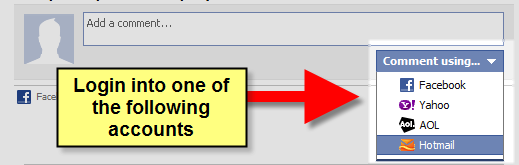
Have your say about what you just read! Leave me a comment in the box below.
Share this page:
Enjoy this page? Please pay it forward. Here’s how…
Would you prefer to share this page with others by linking to it?
- Click on the HTML link code below.
- Copy and paste it, adding a note of your own, into your blog, a Web page, forums, a blog comment, your Facebook account, or anywhere that someone would find this page valuable.
<a href=”http://www.advanced-excel.com/”>Advanced Excel – From a Business Perspective</a><a href=”http://www.advanced-excel.com/”>Advanced Excel – From a Business Perspective</a>

Excel Courses for Business Professionals
Copyright © advanced-excel.com 2007 – 2019. All Rights Reserved. Privacy Policy
Microsoft® and Microsoft Excel® are registered trademarks of Microsoft Corporation.
advanced-excel.com is in no way associated with Microsoft
